For explainer videos

An explainer video with you in it

Your agent draws a visual for every point, all in one style, and you explain each one on camera.

Launch price: $50 off for life.Ends Dec 15th.
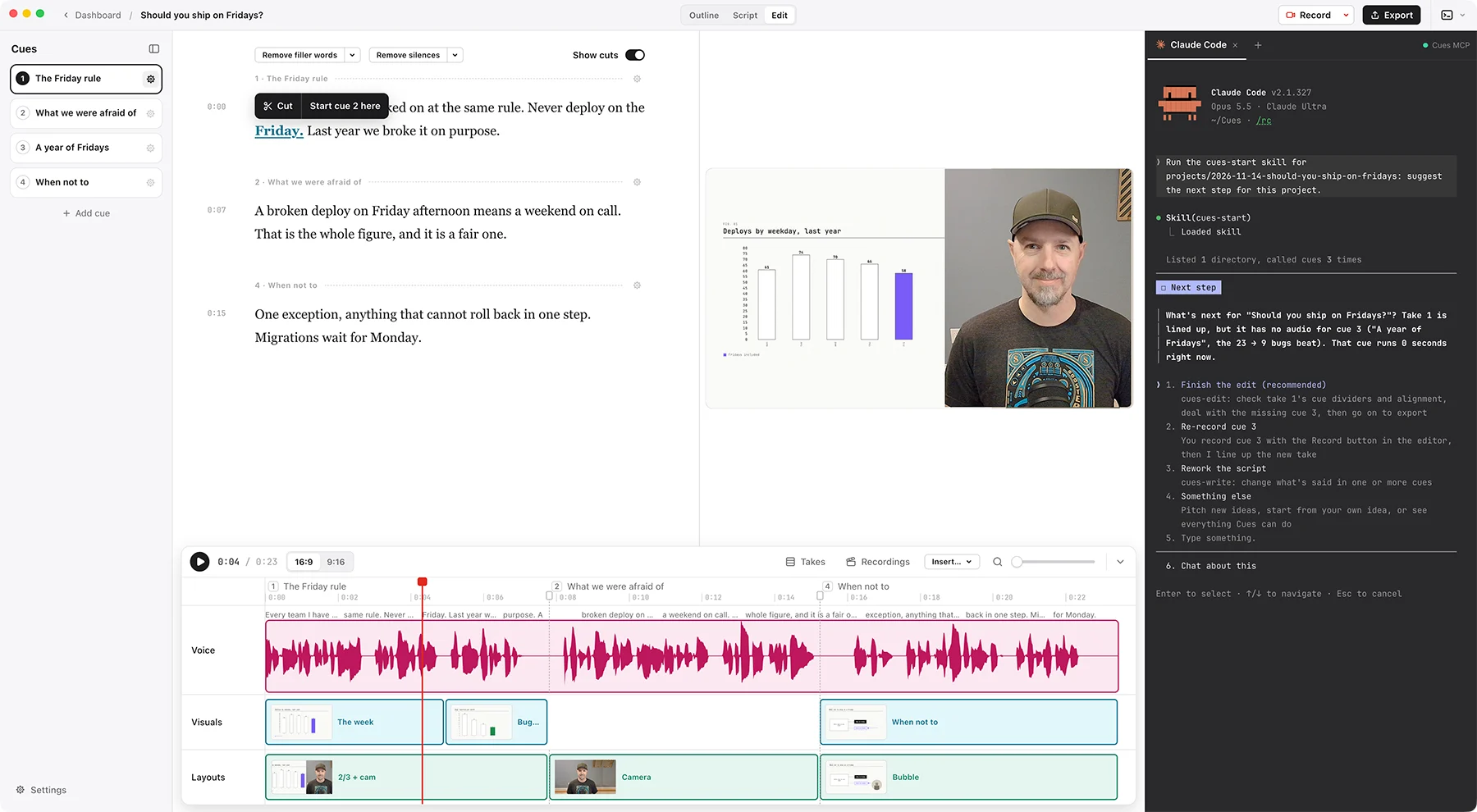
The Cues editor: the cue list, the transcript with cuts, the preview with you on camera beside a chart, the timeline and Claude Code in the built-in terminal
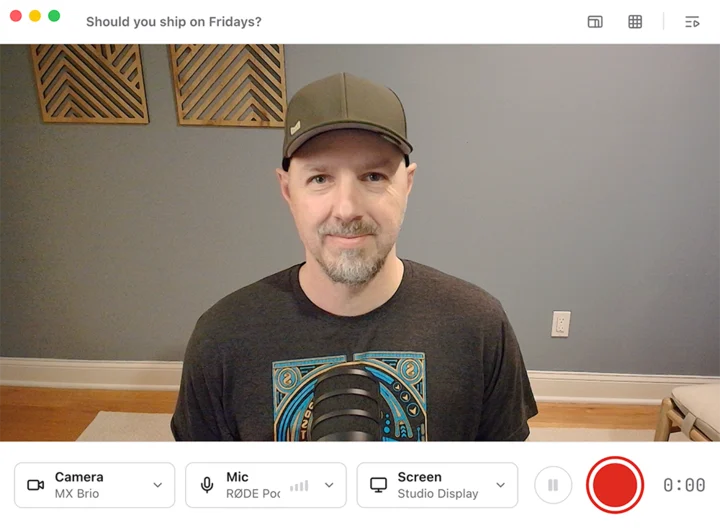
The Cues recorder, with camera, mic and screen

Bring your own agent

  • Claude
  • Codex
  • Gemini
The problem

The visuals are where explainers stall

The idea is clear in your head.

But every point needs a diagram someone has to draw, before you record a word.

A diagram for every point

Each one drawn by hand.

Visuals that match the words

Each one on screen as you explain it.

One look across the video

Every visual should look like it belongs.

Explainers with Cues

From an idea to an explainer, without drawing a thing

  1. Step 01: Shape the story and the visuals

    Your agent turns the idea into cues, writes what you'll say and draws a visual for each.

  2. Step 02: Explain it on camera

    Present one cue at a time, with each visual in front of you as your viewers will see it.

  3. Step 03: Land each visual on the right word

    Your agent times each visual and animation to your words. Adjust any of it in the timeline.

  4. Step 04: Export to all formats

    Landscape and vertical, with each visual laid out for both.

Why Cues

Your agent makes the visuals. You do the explaining

A visual for every point

Claude Code, Codex or any agent draws a diagram, chart or animation for each cue, all in one style: Sketch, Clean or Blueprint.
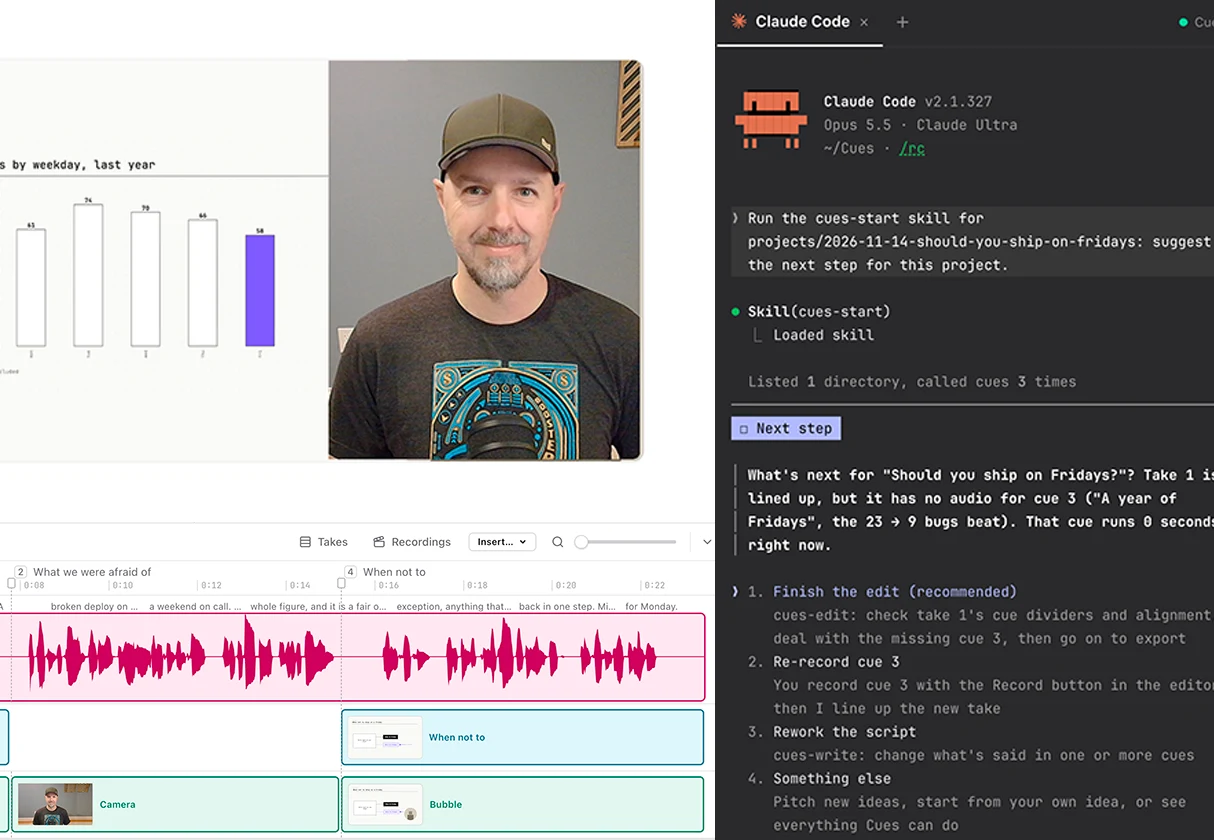
The Cues editor: the preview with you on camera beside a chart, the timeline below, and Claude Code in the built-in terminal suggesting the next step

Ideas, ready when you are

Save ideas as they come, or ask your agent to pitch a few. When one is ready, press Start.
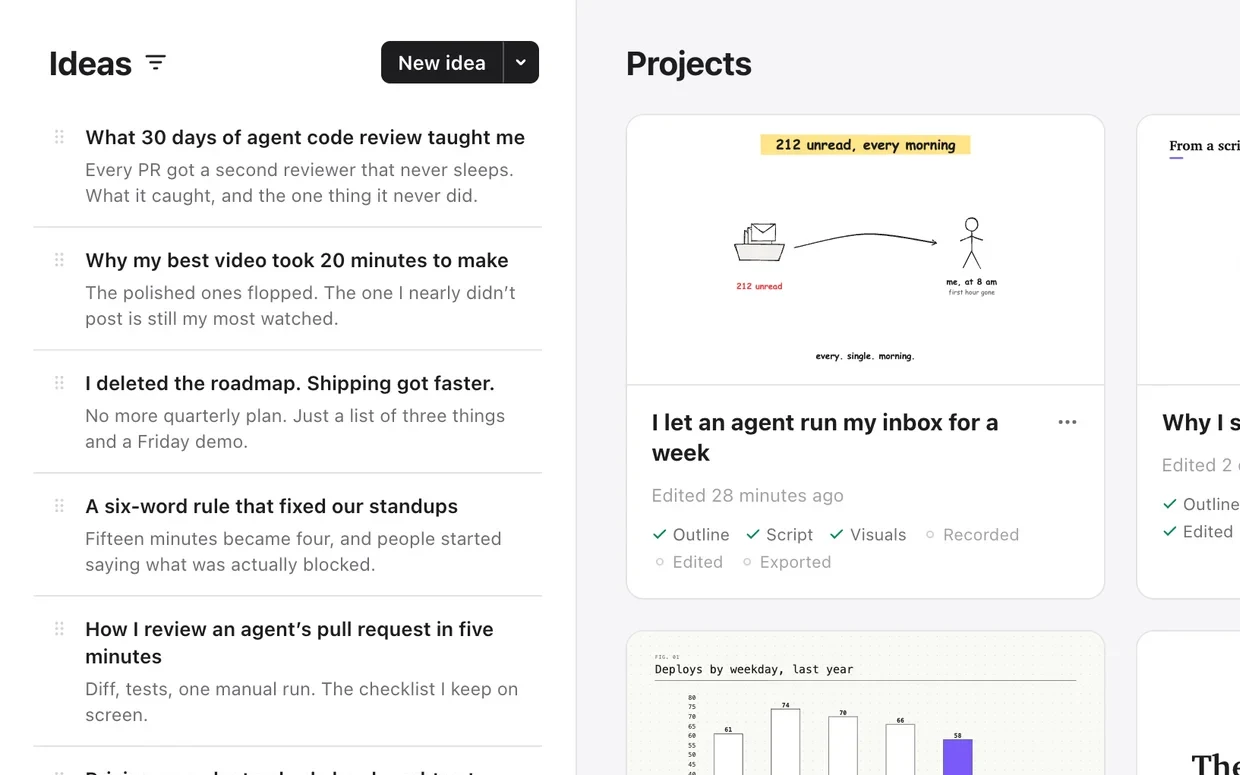
The Cues dashboard: a list of saved video ideas beside projects in progress

You, not an avatar

Your face and your voice carry it. Nothing is generated in your place.
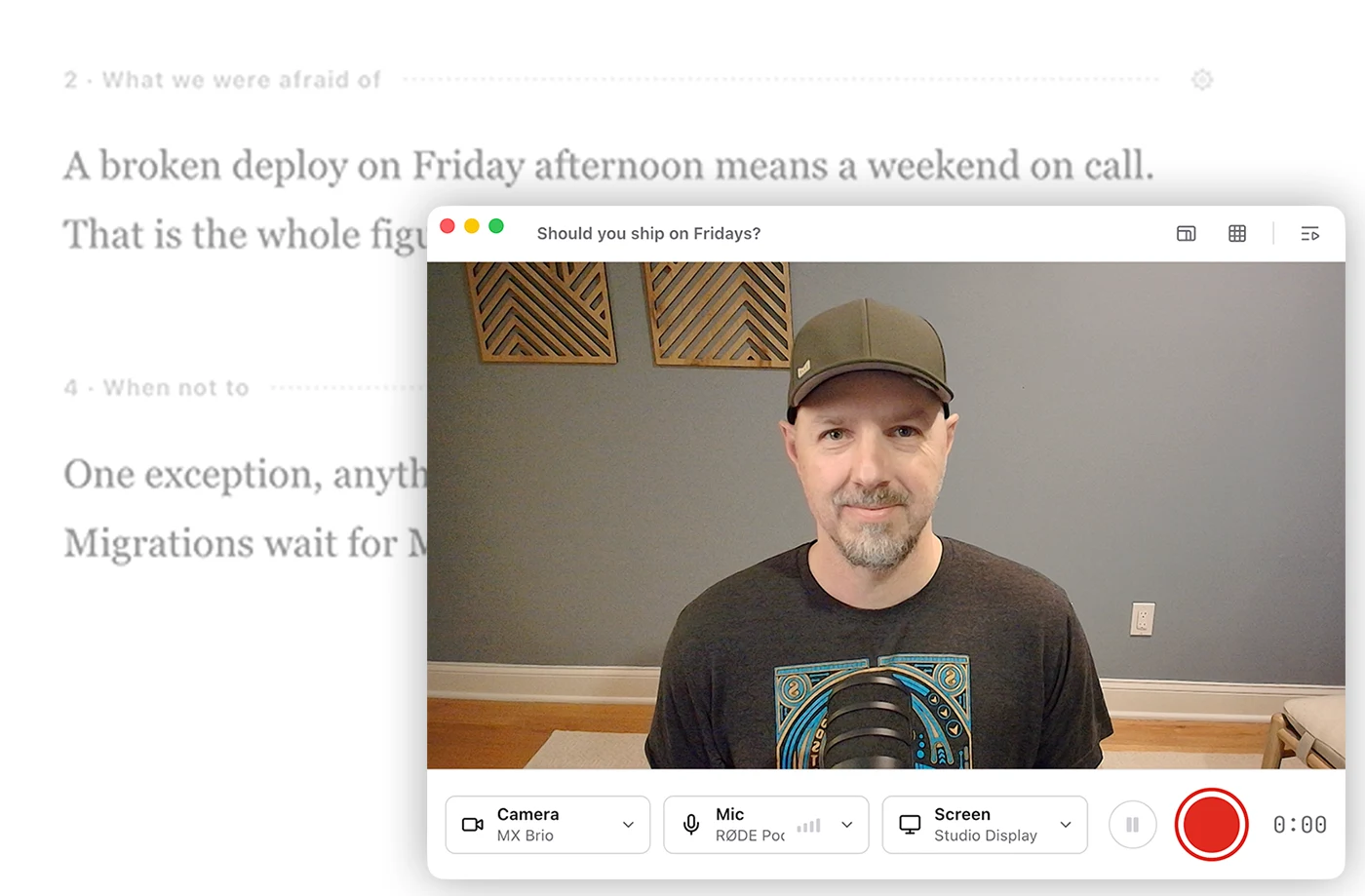
The Cues recorder window over the script, with you on camera and the camera, mic, screen and record controls

Mostly edited when you stop

Your take lines up with your cues as you record, so each visual is already in place.
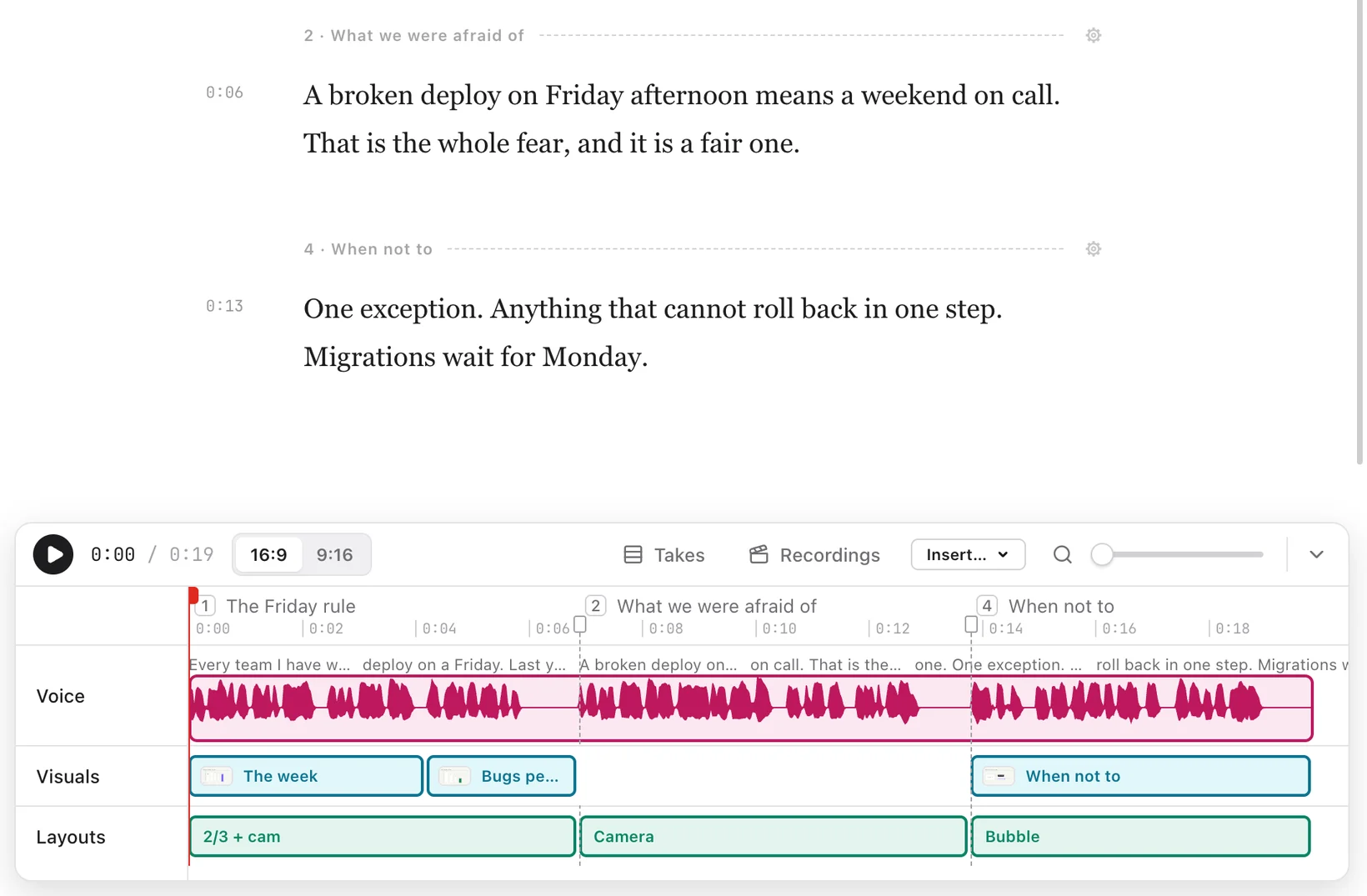
The transcript split into cues above the timeline, with the take lined up to each cue
  • Bring your own agent

    Claude Code, Codex or any agent, in the built-in terminal.

  • Screen recording

    Record your screen with your camera, in the same take.

  • Landscape & vertical formats

    Lay out every cue for 16:9 and 9:16 from the start.

  • Transcript-based editing

    Delete words in the transcript to cut them from the video.

  • AI-based editing

    Ask your agent for edits, then keep or undo each one.

  • Timeline editing

    Pick takes and place visuals and layouts on your words.

  • Separate video & audio tracks

    Camera, mic and screen record as separate files, in sync.

  • Remove filler words & gaps

    Review the ums and silences Cues finds, then cut them in one go.

  • Custom keyboard shortcuts

    Change any shortcut in Settings.

  • Generate visuals

    Your agent makes each cue's visual in your style pack.

  • Preset layouts & titles

    Frame each cue with a ready-made layout, and put text on screen.

  • Transitions & zooms

    Add smooth transitions and zooms to your videos.

Why Cues?

How is it better?

You can edit videos with AI in any tool these days. Only Cues helps you create great videos end-to-end.

Create videos with Cues
Edit with Premiere, etc.
Yes:Edit with AIClaude is (literally) by your side the whole way.
Yes:Edit with AIFind an MCP for your agent to run in a separate app from your video editing software.
Yes:Record & transcribeAll local and instant on your Mac.
No:Record & transcribeUsually not, or it costs tokens and cloud uploads.
Yes:Present with cue cardsRead from your teleprompter, recordings land on your timeline.
No:Teleprompter recordingUsually not and often disconnected.
Yes:Outline & script with AIThe whole creative process, end-to-end with AI in Cues.
No:Outline & scriptThat's on you.
Yes:Create visuals with AIGenerate visuals & titles to show in your video.
No:Create visualsThat's on you.
Yes:Auto-layoutsFootage & visuals snap right into place automatically.
No:Laying out scenesAll manual, or tedious prompting via MCP.
Yes:Wide & tall formatsEdit & export them together, simultaneously.
No:Wide & tall formatsSeparate projects. A lot more time and work.
Yes:Made for video creatorsBy a YouTuber, for YouTubers (and other platforms).
No:Made for... everyonePerfect for no one.
Pricing

One price, every feature

Your AI video studio on your Mac with the agent you already have.

Cues license
Regular price $149Launch price $99per year
  • The Cues Mac app
  • Every update while your license is active
  • Built-in agent panel for Claude Code, Codex or any agent
  • No extra AI, token or usage cost
  • Unlimited video & audio recording on your Mac
Buy Now

14-day money-back guarantee.

Why I built Cues

Hi, I'm Brian. I make a lot of videos, and being on camera is never the hard part.

It's everything around it: working out what to say, getting through the take, then hours of cutting. Each one costs me an afternoon, sometimes a week, so I publish far less than I want to.

So I built Cues to hand that work to my agent. It shapes the story, draws the visuals and helps me cut. I just present it, one cue at a time, in my own words.

If that sounds like your week too, I'd love to see what you make with it. Write to me any time.

Brian CaselBrian CaselCreator of Cues@casjam

Questions

Who makes the visuals?

Your agent, in your style. You can add your own images and clips too.

What can a visual be?

A diagram, chart or illustration, an animation, a short clip or your own screen recording.

Is it an AI video generator?

No. You present the explainer on camera, in your own voice. Your agent writes the story and makes the visuals around you.

Do I need design skills?

No. Your agent draws every visual in the style you pick, and changes any one you ask it to.

Which styles are there?

Sketch, Clean and Blueprint. You pick one for each project, and every visual in it follows that style.

Something else? Ask us.

Explain it once, with a visual for every point

Buy Now